Generative AI seems to be the only thing Google wants to talk about at its I/O developer conference this year; unsurprisingly, one of the prime surfaces for highlighting its AI smarts is its Workspace productivity suite. Earlier this year, the company already launched limited previews of new features that help users write (and rewrite) text in Gmail and Docs. At the time, Google already noted that it planned to bring similar generative AI capabilities to Sheets and Slides. And here we are at I/O and Google is launching automatic table (but not formula) generation in Sheets and image creation in Slides and Meet. Gmail and Google Docs on mobile are also getting support for these writing helpers now, too.
As for Sheets, it’s important to stress that this is not a new tool that uses AI to let you create formulas and reason over your spreadsheets. While I’m sure that’s in the works, today the company is announcing a simpler feature.
Using a few sentences, Sheets can now generate tables for you.
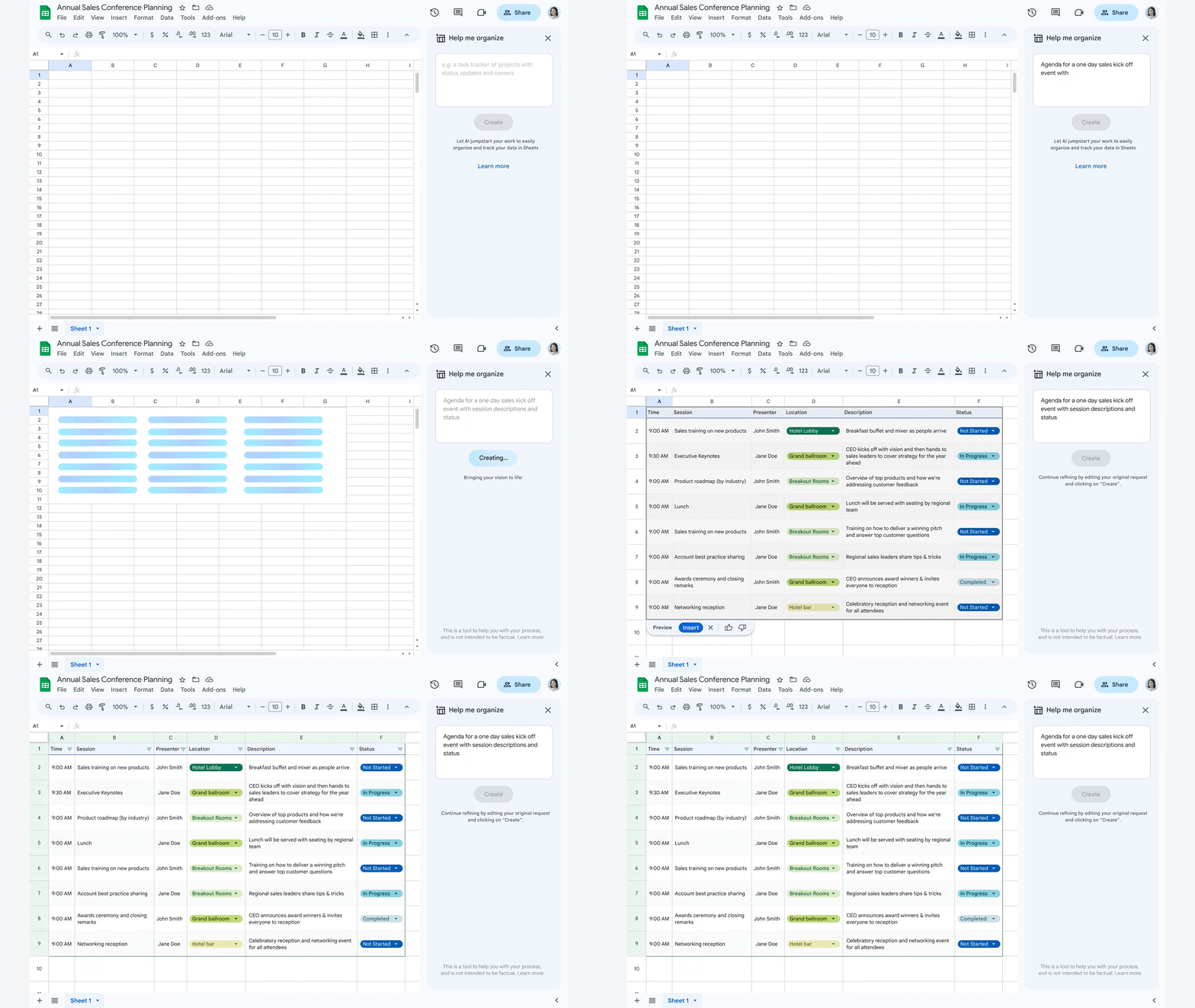
“Sheets is a really powerful tool, but it can be pretty intimidating for most people. Where do I start? Imagine that you could just simply describe what you’re trying to accomplish — in this case, you’re running a small business and you want to create a roster or schedule of things that might be helpful to you in a small business — you just type that into the prompt and sheets will do the rest for you,” Google’s VP and GM for Workspace, Aparna Pappu, explained during a press briefing ahead of today’s event. Sheets will then provide users with a kind of personalized template and sample content.
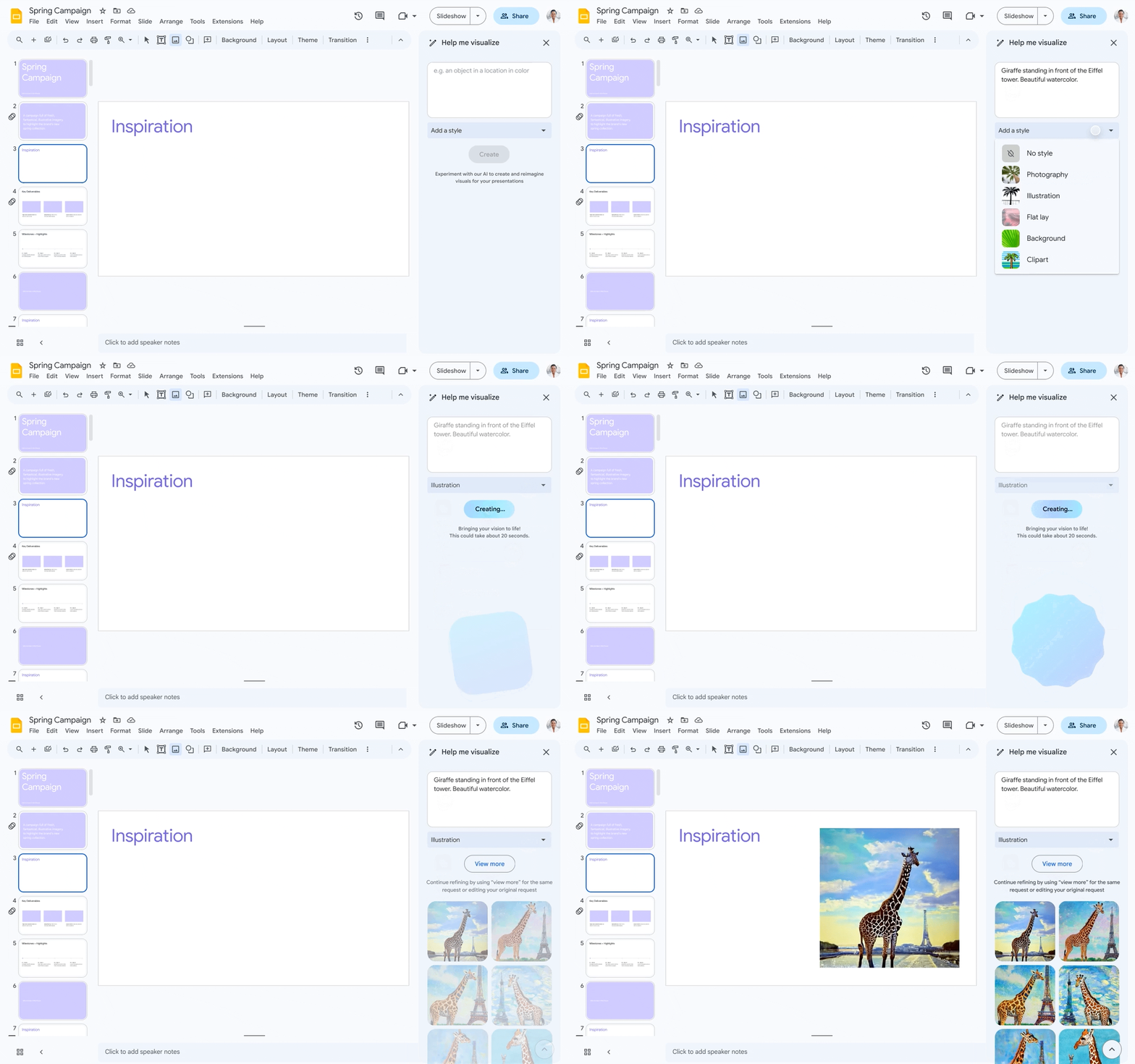
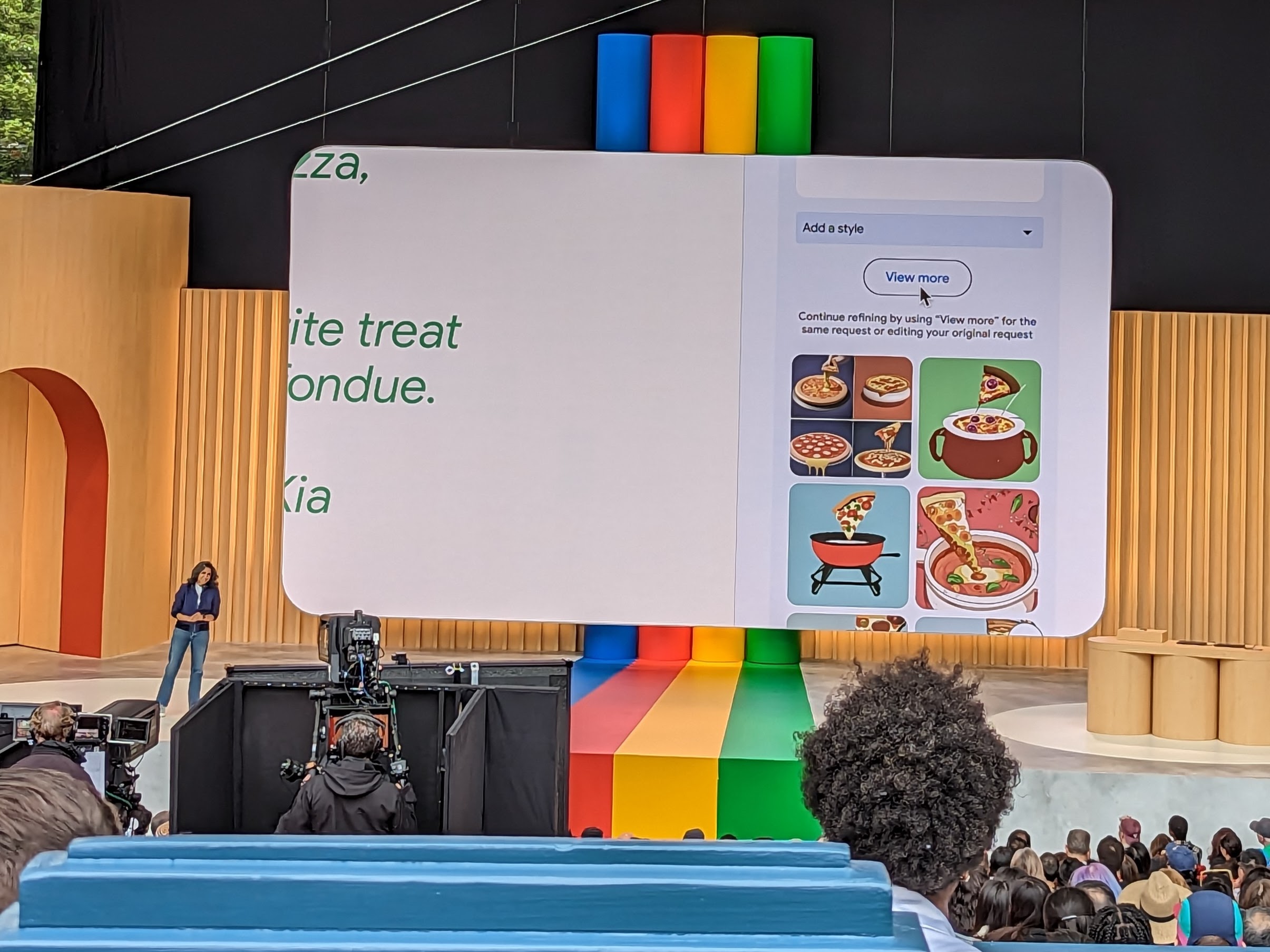
As for Slides and Meet, the image generation feature here is probably exactly what you would expect. You type in what kind of visualization you are looking for, just like when using Dall-E, Midjourney, Adobe Firefly or any other similar tool, and it will create that image for you. For Google Meet, the use case is custom backgrounds.
Google Docs is also getting a somewhat smaller update to its AI assistant, which can now surface smart chips for locations and status, based on the context of what you are writing about.
Looking ahead, Google also plans to add a Bard/ChatGPT-style chat interface to Docs (and likely other services) that users can then use to help them with writing tasks. That’s essentially what Bing can already do in the Edge sidebar, but this is deeply integrated into Docs and Google Workspace in general.
Disrupt 2026: The tech ecosystem, all in one room
Your next round. Your next hire. Your next breakout opportunity. Find it at TechCrunch Disrupt 2026, where 10,000+ founders, investors, and tech leaders gather for three days of 250+ tactical sessions, powerful introductions, and market-defining innovation. Register now to save up to $400.
Save up to $300 or 30% to TechCrunch Founder Summit
1,000+ founders and investors come together at TechCrunch Founder Summit 2026 for a full day focused on growth, execution, and real-world scaling. Learn from founders and investors who have shaped the industry. Connect with peers navigating similar growth stages. Walk away with tactics you can apply immediately
Offer ends March 13.
It’s also looking at automatically adding speaker notes to Slides.
Google is branding these services as ‘Duet AI’ (not to be confused with ‘AI Duet,’ Google’s 2017 dualling piano experiment), the same name it uses for its AI features in Google Cloud. I don’t think anyone outside of Google will ever refer to it as Duet since it’s not really a cohesive product and mostly AI sprinkled across all of Google’s Workspace and Cloud services, but I’m sure Google’s branding experts had their reasons.