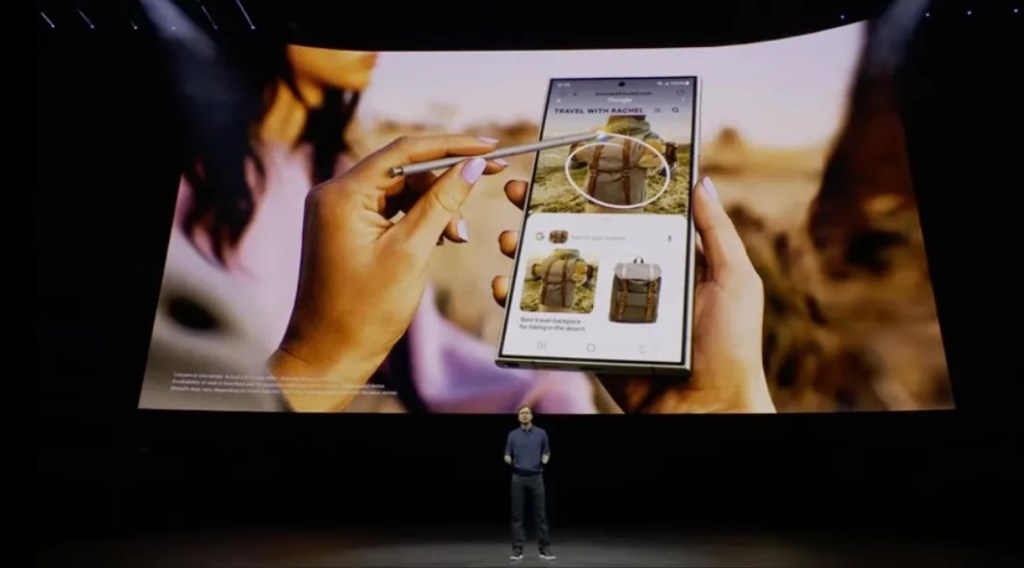
Google has found a way to bring a variation of its clever “Circle to Search” gesture to iPhone users. The new interaction, launched in January, allows Android users to search from anywhere on their device by circling, highlighting, scribbling or tapping, making it easier to engage with Google Search from any screen. Of course, a similar option has not been available to iPhone users, as Google doesn’t control the iOS operating system as it does on Android. To work around this problem, Google is now using Apple’s Action Button on iPhone 15 Pro devices to enable a quick way to visually search anything on your screen with just a press of a button.
No longer a simple ring/silent switch, the Action Button allows users to customize the functionality of the iPhone’s side button to their own needs. It can be configured to launch the camera, translate a conversation, enable a Focus mode, launch the Flashlight and more. Or, users can assign a Shortcut of their own to the Action Button to start another task, like kicking off a ChatGPT voice session, for example.
In Google’s case, the company has launched a shortcut that lets iPhone users start a visual search via Google Lens.
“It’s basically circle to search but faster!,” noted Google Lens design manager Minsang Choi in a now deleted post on X, where he introduced the shortcut created by the Google App iOS team. (Apparently, this was an unapproved release. We’ve asked Google for comment on the takedown.)

While Google’s iOS app already offers a way to use Lens for visual search, the addition of the shortcut makes it easier to start a search with a simple gesture, similar to Android. However, it also highlights the difficulties involved with trying to innovate new ways to interact with technology when building for iOS: a workaround had to be used in place of offering a gesture.
To use the shortcut, iPhone users will need to have the Google app for iOS installed and then they’ll need to download the shortcut and assign it to the Action Button from iOS’s Settings. Although Choi’s link to the shortcut has been pulled, there’s still a way to make one.
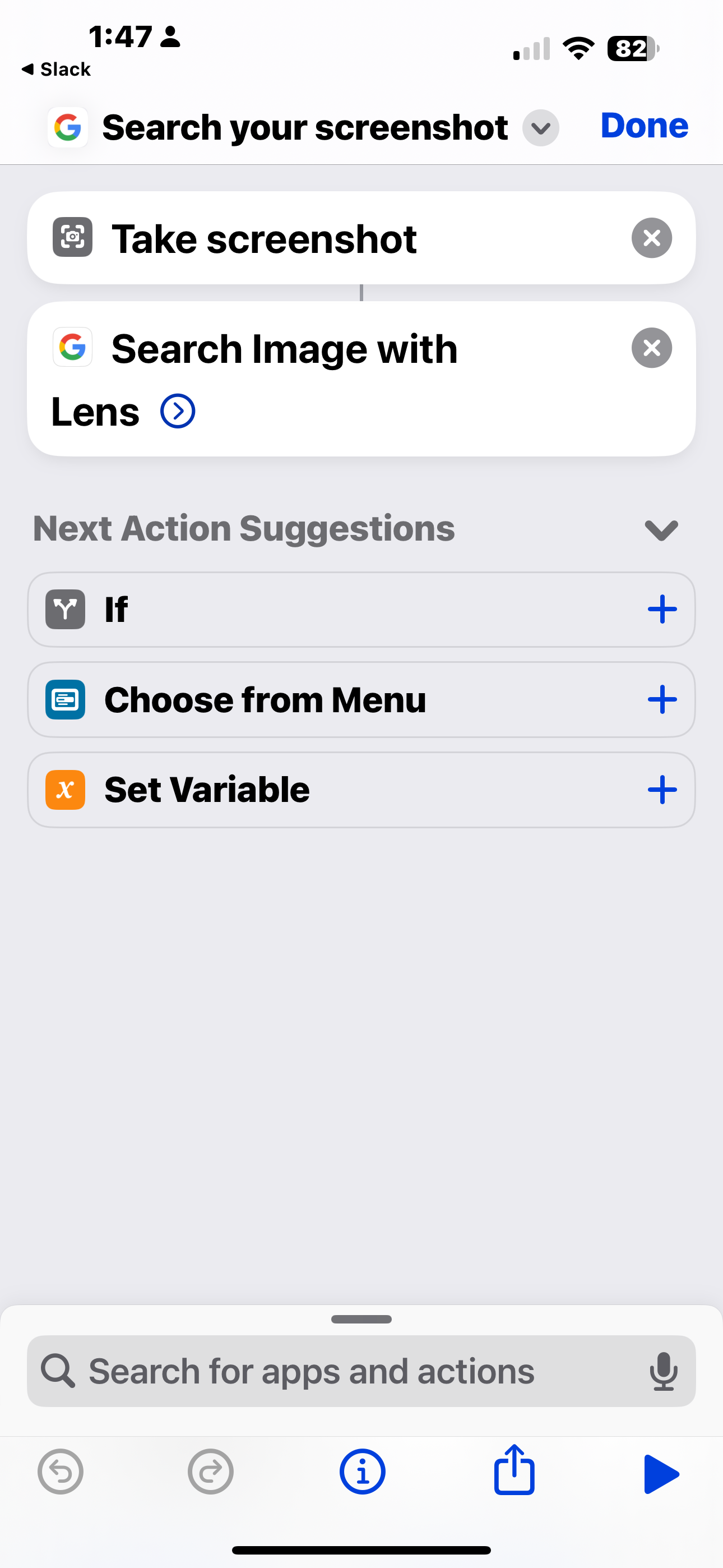
From the iOS Shortcuts app, create a shortcut that first takes a screenshot and then performs the action “Search Image with Lens,” as shown in the example below. This essentially mimics the Circle with Search feature but uses Google Lens on iPhone.
Disrupt 2026: The tech ecosystem, all in one room
Your next round. Your next hire. Your next breakout opportunity. Find it at TechCrunch Disrupt 2026, where 10,000+ founders, investors, and tech leaders gather for three days of 250+ tactical sessions, powerful introductions, and market-defining innovation. Register now to save up to $400.
Save up to $300 or 30% to TechCrunch Founder Summit
1,000+ founders and investors come together at TechCrunch Founder Summit 2026 for a full day focused on growth, execution, and real-world scaling. Learn from founders and investors who have shaped the industry. Connect with peers navigating similar growth stages. Walk away with tactics you can apply immediately
Offer ends March 13.
9to5Mac, which was the first to spot the release, also noted there’s a way to configure the Accessibility feature Back Tap to launch the new shortcut instead if you aren’t using an iPhone 15 Pro device.