

Google introduced new accessibility and learning features on Tuesday at the International Society for Technology in Education (ISTE) expo. These features included expansion of the reading mode, pairing with a sign language interpreter in Google Meet and AI-powered question suggestions in a class.
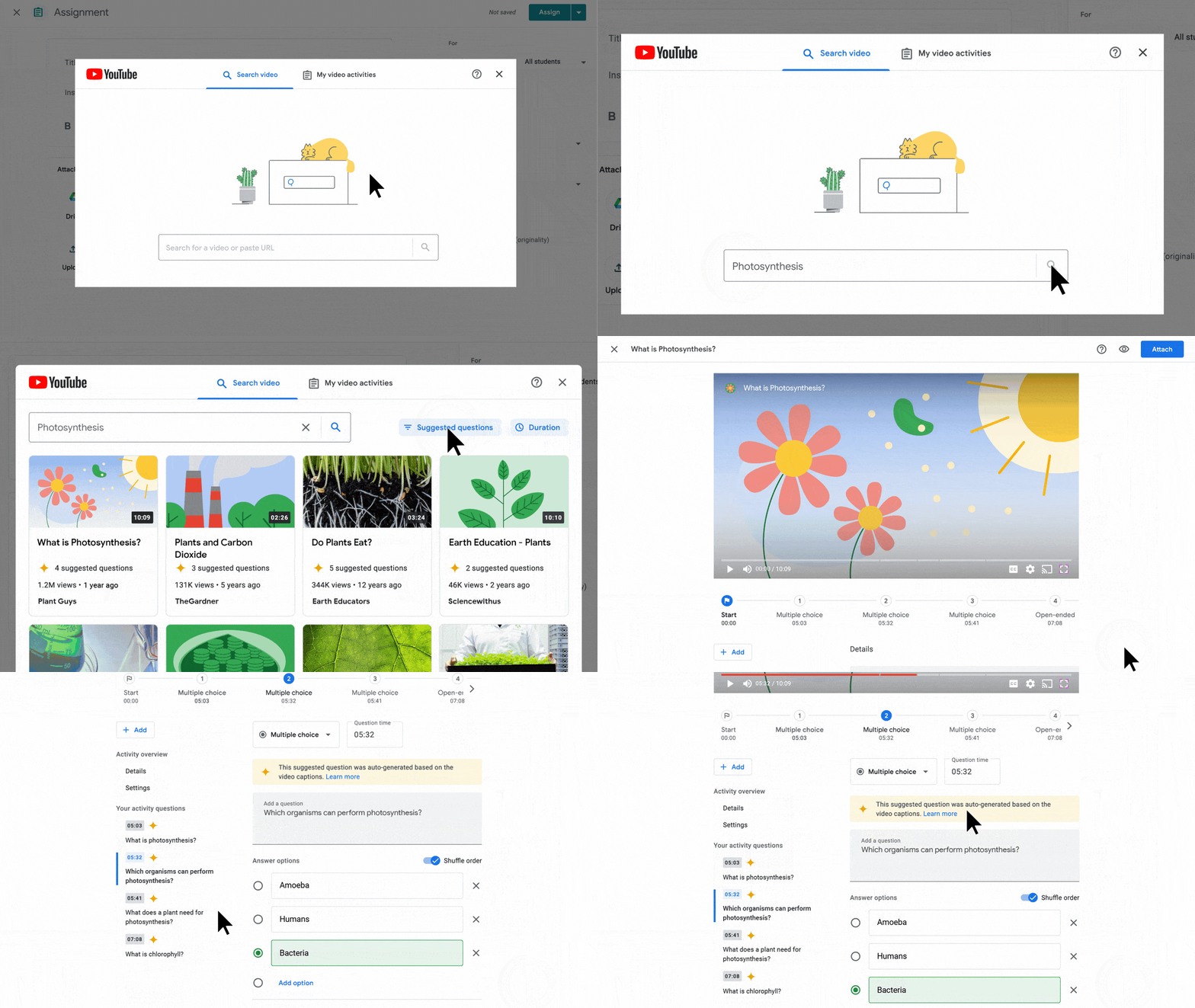
The company has been experimenting with AI-powered tools in its consumer products like Search, Gmail and Sheets. Now, Google is bringing AI-powered questions to an assignment that revolves around a YouTube video. Teachers can add their own questions or modify AI-powered suggestions as well. Currently, the company is accepting applications to try this out in English with support for Spanish, Portuguese, Japanese and Malay.
In March, Google introduced Reading Mode in a side pane, which removes elements like videos and images from the page and helps users focus on the text. At that time, the feature was only available for Chrome browsers on ChromeOS. Google announced Tuesday that it is coming to all Chrome users soon.
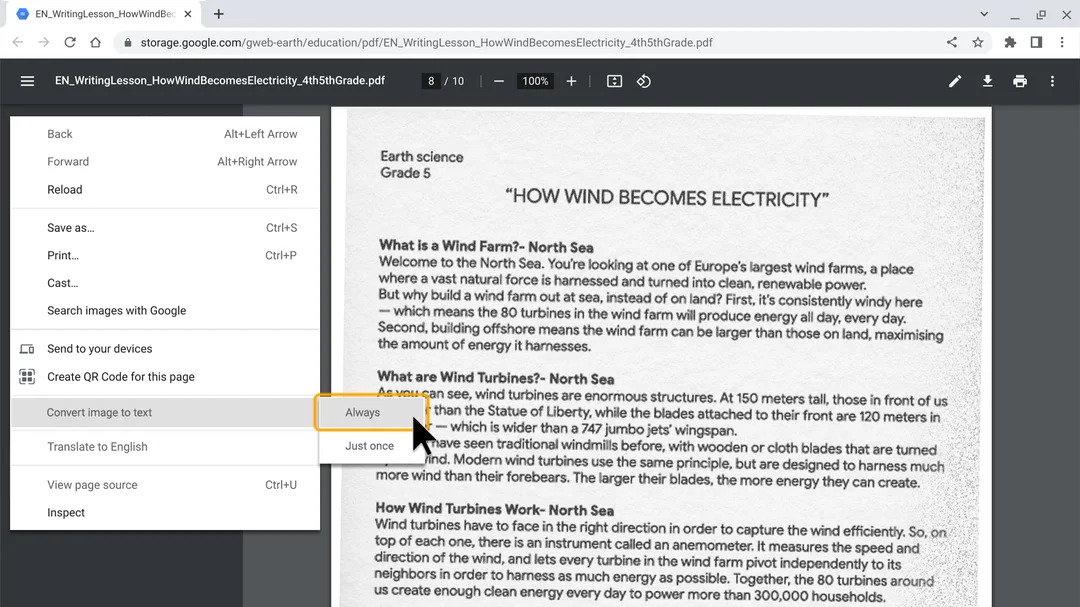
Additionally, the company said that screen reader users will be able to convert images to text for PDFs using Chrome browsers on Chromebooks. However, the feature will likely not let users copy the text from these PDFs.
Google said that it has also introduced new fonts to make reading easier in Arabic, Cyrillic and Latin systems. Those fonts are optically variable — that means the font has an adaptive design for different sizes to improve readability.
The search giant introduced a new tile-pairing feature for Google Meet as well. When this feature is enabled, it highlights both tiles when one of the participants speaks. This makes it easier to connect a sign language interpreter to the speaker.
Google Meet is also getting some features like support for polls and Q&A during a livestream for classrooms with “Teaching and Learning Upgrade” or “Education Plus” subscriptions.
Disrupt 2026: The tech ecosystem, all in one room
Your next round. Your next hire. Your next breakout opportunity. Find it at TechCrunch Disrupt 2026, where 10,000+ founders, investors, and tech leaders gather for three days of 250+ tactical sessions, powerful introductions, and market-defining innovation. Register now to save up to $400.
Save up to $300 or 30% to TechCrunch Founder Summit
1,000+ founders and investors come together at TechCrunch Founder Summit 2026 for a full day focused on growth, execution, and real-world scaling. Learn from founders and investors who have shaped the industry. Connect with peers navigating similar growth stages. Walk away with tactics you can apply immediately
Offer ends March 13.
The company offers Workspace for education for free, but for features like advanced security, learning, device management and analytics, it offers the Standard tier for $3 per student per year and the Plus tier for $5 per student per year.

