Today, Microsoft Designer, Microsoft’s AI-powered design tool, launched in public preview with an expanded set of features.
Announced in October, Designer is a Canva-like web app that can generate designs for presentations, posters, digital postcards, invitations, graphics and more to share on social media and other channels. It leverages user-created content and DALL-E 2, OpenAI’s text-to-image AI, to ideate designs, with drop-downs and text boxes for further customization and personalization.
“Since October, the AI models have steadily improved, and we’ve worked to weave these powerful capabilities throughout the Designer canvas in even more delightful ways while keeping you in control,” Bryan Rognier, GM at Microsoft’s 365 Consumer division, wrote in a blog post published today.
Now Designer can generate written captions and hashtags relevant for social media posts, offering several suggestions users can choose from. It can also create animated visuals, complete with backgrounds and text transitions, powered by AI.
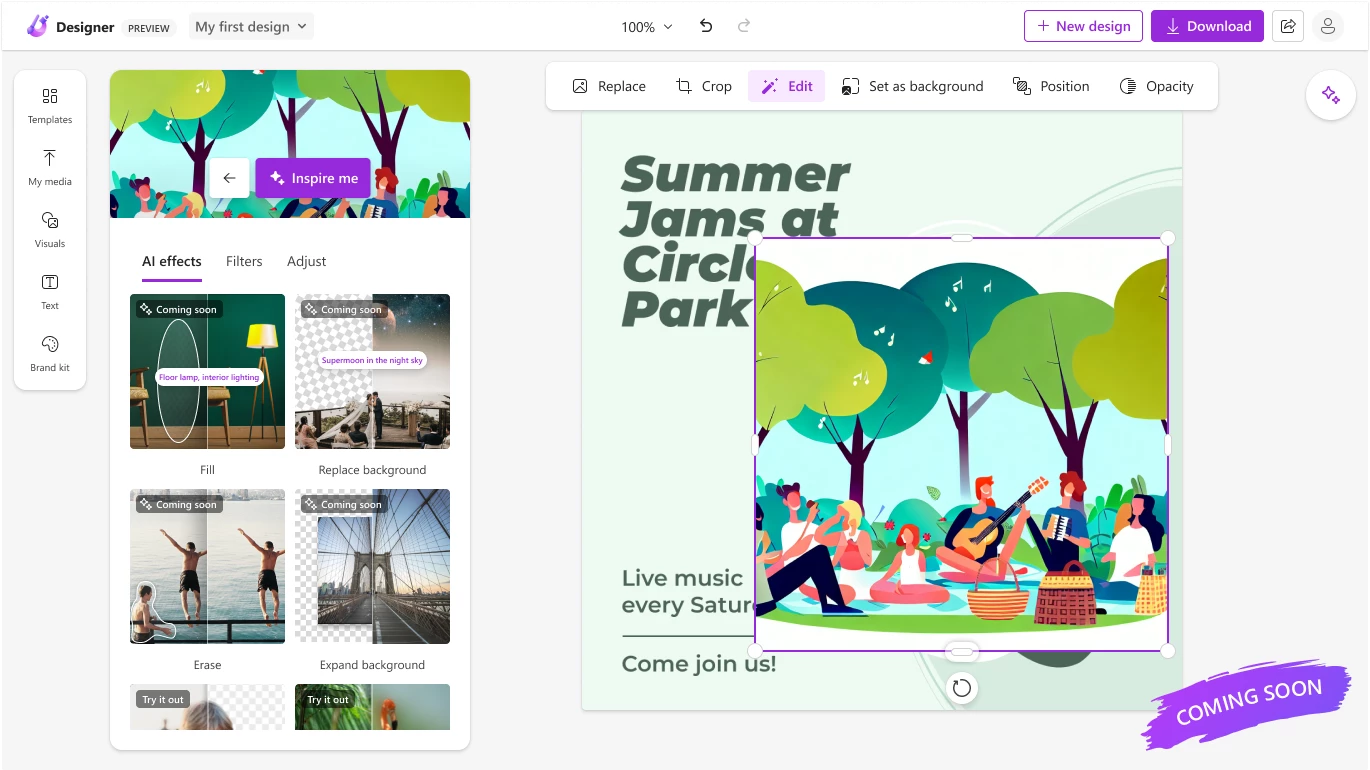
In the future, Designer will gain additional editing features, Microsoft says, including the ability to place an object in a specific spot in a graphic and automatically fill in the rest of a picture. Forthcoming “erase” and “replace background” options, meanwhile, will let users brush over objects, people or backdrops they didn’t intend to be in a graphic.
Designer will remain free during the preview period, Microsoft says — it’s available via the Designer website and in Microsoft’s Edge browser through the sidebar. Once the Designer app is generally available, it’ll be included in Microsoft 365 Personal and Family subscriptions and have “some” functionality free to use for non-subscribers, though Microsoft didn’t elaborate.
Addressing some of the legal questions that’ve sprung up recently around AI-powered image-generation systems, Microsoft says that users will have “full” usage rights to commercialize the images they create with Designer and Image Creator. It’s unclear whether that might change in the future, though, given the ongoing court battles involving OpenAI and other startups commercializing generative AI tools.