Apple is looking to make iPads more functional devices for business productivity with a new split-screen app mode which allows iPad users to run two different apps side-by-side. This sort of feature is something Microsoft has previously used to target the iPad in its advertisements, which highlighted its own Surface tablet as something that’s better for those doing “real work” on its hybrid laptop/tablet computer.
The iPad splitscreen feature has been rumored for some time. In addition to Surface, Samsung Galaxy Tab devices also previously offered a multi-window mode.
Craig Federighi, Apple’s SVP of Software Engineering, demonstrated the iPad’s new split screen view during the WWDC keynote this morning. While using Safari, he swiped from the right side of the screen — and a view of the Messages app slides into place. He then swiped down from above on the Messages view, and is able to switch just that one app independently.
On the left side, he was running one app, and on the right, another. Each app is running fully independently.
As the demo continued, Federighi was able to tap a Map link within a note, and it opens within the Apple Maps application on the left side of the screen.
Another example showed how, while watching a video within the ESPN app, an email arrives. By tapping the notification, you’re able to open up the Mail app while the ESPN video goes picture-in-picture and continues to play.
You can then drag the picture-in-picture video around the screen, and resize it with a pinch zoom.
Disrupt 2026: The tech ecosystem, all in one room
Your next round. Your next hire. Your next breakout opportunity. Find it at TechCrunch Disrupt 2026, where 10,000+ founders, investors, and tech leaders gather for three days of 250+ tactical sessions, powerful introductions, and market-defining innovation. Register now to save up to $400.
Save up to $300 or 30% to TechCrunch Founder Summit
1,000+ founders and investors come together at TechCrunch Founder Summit 2026 for a full day focused on growth, execution, and real-world scaling. Learn from founders and investors who have shaped the industry. Connect with peers navigating similar growth stages. Walk away with tactics you can apply immediately
Offer ends March 13.
The best news, Federighi notes: “If you’ve adopted auto layout, this will all just work,” he says.
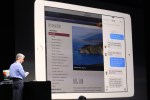
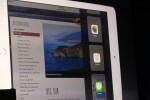
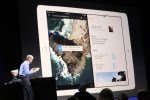

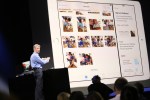

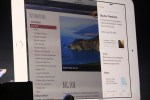


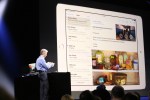
There are two different terms Apple used for its new multitasking mode, Split View and Slide Over. The former allows two apps to run at the same time, side-by-side, on the same screen. The latter lets you open a second app without leaving your current app.
Split View is only available on iPad Air 2. Slide-over is available on iPad Air, Air 2, Mini 2, and Mini 3.
The feature includes a new app switcher that lets users swipe to pull an app into the new multi-tasking view.


Earlier during the keynote, Federighi showed off a similar splitscreen feature in the newly announced OS X El Capitan. In the new desktop OS’s version of Safari, splitscreen browsing windows that snap to the side when dragged were demonstrated, hinting at the possibility that a splitscreen mode would arrive in iOS as well.
“For many, the iPad is the primary computer,” Federighi said, announcing the new iOS 9 features, which also include a new keyboard that becomes a trackpad that can control the cursor.