

There is no shortage of startups attacking the virtual keyboard space, as you’d expect with so much scope to improve the experience of touchscreen typing. Yesterday Toronto-based Whirlscape launched a beta version of its Qwerty-squashing Minuum software keyboard, for instance. Today it’s SnapKeys‘ turn. The New York based startup is readying the full launch of its Si Evolution invisible keyboard, which we last covered at its December beta launch, due to land on Google Play in the next day or so.
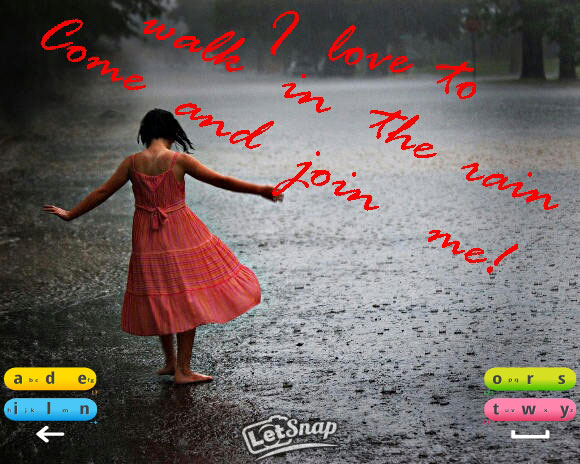
SnapKeys says it’s racked up between 50,000 and 100,000 beta testers (i.e. app downloads) since then. Its Android keyboard software disrupts the traditional Qwerty layout by grouping letters into four islands, with more commonly used letters appearing larger than others. This arrangement leaves the majority of the screen empty to display whatever is underneath.
Indeed, even SnapKeys’ four key-carrying islands can be made invisible once the user is comfortable they know where they need to tap. An entirely invisible keyboard is clearly one better than the translucency Apple has added to its native keyboard in iOS 7, allowing content like photos to be viewed in full at the same time as typing. 
The most notable change in the full version of SnapKeys’ keyboard software as it comes out of beta is that it’s switched the order of the letters to an alphabetic one, instead of its prior arrangement (right) which required users to learn an entirely new letter order. Clearly that was proving a disruption too far.
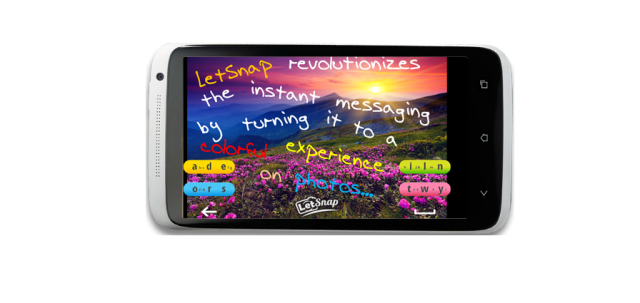
As well as the full-fat version of its invisible keyboard app, SnapKeys is launching an IM app called LetSnap which deploys its invisible keyboard in a photo-sharing IM app — apparently hoping to piggyback on the wider momentum driving mobile photo-sharing and messaging apps at present. If SnapKeys can get people using its messaging app, it’s also crucially teaching them how to use its keyboard. And since re-education is the biggest barrier to any would-be Qwerty killer that’s clever thinking.
Still, there’s no doubt it’s going to be a challenge to push QWERTY aside. SnapKeys has been trying to convince people to ditch QWERTY for its quad-key alternative for several years, demoing an earlier invisible keyboard — called 2i — back in 2011. That keyboard also lacked an alphabetic layout. Now, by switching to an alphabetic order that people are familiar with, SnapKeys will be hoping it’s lowering the barrier to adoption by allowing users to”type quickly from the start”.
Disrupt 2026: The tech ecosystem, all in one room
Your next round. Your next hire. Your next breakout opportunity. Find it at TechCrunch Disrupt 2026, where 10,000+ founders, investors, and tech leaders gather for three days of 250+ tactical sessions, powerful introductions, and market-defining innovation. Register now to save up to $400.
Save up to $300 or 30% to TechCrunch Founder Summit
1,000+ founders and investors come together at TechCrunch Founder Summit 2026 for a full day focused on growth, execution, and real-world scaling. Learn from founders and investors who have shaped the industry. Connect with peers navigating similar growth stages. Walk away with tactics you can apply immediately
Offer ends March 13.
Other changes to its new keyboard software, as the Si app moves from beta to baked, include having users type on individual letters rather than just on the key itself. The beta version relied on word prediction to form the words, but the full app increases prediction accuracy by getting users to tap on specific letters or in the middle of the keys for the smaller letters. This change is also aimed at giving users a typing method they are more familiar with, says SnapKeys. Another layout tweak is that the space and backspace keys have been relocated to a more familiar site (below the keys).
There’s also now a personalised dictionary that can be synced with address book contacts, Gmail and Facebook contacts so your friends’ names are already in the keyboard’s databanks. The method to input out of dictionary words has also been improved, and there’s a new gestures and symbols layout.
Overall, SnapKeys says the new version of its software boosts typing speed and accuracy, having taken into account feedback from its beta testers. Here’s a video of the keyboard in action.
[youtube http://www.youtube.com/watch?v=MgmBCwXTUj0]

