Logitech had a definite winner on its hands with the Ultrathin Keyboard Case for iPad, a Bluetooth keyboard that attaches via magnets built into the iPad, protecting the screen and adding only minimal thickness. Now, there’s a successor designed for the iPad mini that comes in an appropriately shrunken down package. Of course, making a keyboard smaller doesn’t always produce the best results, but in this case, Logitech strikes a good balance.

- MSRP: $79
- Three months of battery life (based on two hours daily usage)
- Availability: Preorder now, with availability sometime later this month
- 7.33mm thin, weighs 220 grams
- Available in black and white (and red in select markets)



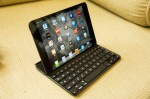


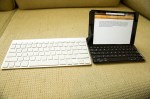
The Logitech Ultrathin is a good-looking device that matches up really well with the iPad mini’s design. My review unit is black, and the case’s matte finish pretty much perfectly mirrors that of the iPad’s rear case. Side-by-side and face down, the symmetry is such that you could easily pick up one thinking it was the other if you aren’t paying close enough attention. The two surfaces also feel the same, which speaks volumes about Logitech’s attention to quality with the Ultrathin’s construction.
The magnet spine that attaches to the iPad itself snaps into place with a satisfying click, and lines up well when closed. The face of the keyboard features a shiny black plastic, which, while not as classy as the iPad’s glass surface, does a good job of mimicking its black bezel visually, to keep the whole design symmetry experience consistent.

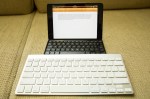
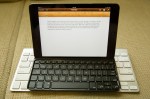
The Ultrathin’s keyboard is the part upon which everything hinges, and Logitech has pulled out all the stops to try to provide a typing experience that doesn’t feel compromised, despite the extremely limited real estate available given the iPad mini’s small footprint. To make it work, Logitech has combined a number of function buttons, reduced key size and cut down on the space between them.
Disrupt 2026: The tech ecosystem, all in one room
Your next round. Your next hire. Your next breakout opportunity. Find it at TechCrunch Disrupt 2026, where 10,000+ founders, investors, and tech leaders gather for three days of 250+ tactical sessions, powerful introductions, and market-defining innovation. Register now to save up to $400.
Save up to $300 or 30% to TechCrunch Founder Summit
1,000+ founders and investors come together at TechCrunch Founder Summit 2026 for a full day focused on growth, execution, and real-world scaling. Learn from founders and investors who have shaped the industry. Connect with peers navigating similar growth stages. Walk away with tactics you can apply immediately
Offer ends March 13.
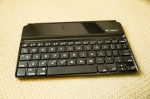


The keys themselves feel great, and offer a nice response when typing despite how thin the cover is. But the experience isn’t without compromises. Typing on the keyboard will prove a frustrating experience at first for anyone used to using a full-sized keyboard. But the good news is that the number of errors you make starts to taper off pretty quickly, and in very little time, you can even feel mostly at home on the Ultrathin keyboard, though placement of some elements like the Shift keys never quite feels perfectly natural.

While the typing experience isn’t perfect on the Logitech Ultrathin Keyboard, it’s about as close as you can get without adding a lot more bulk to a Bluetooth keyboard for the iPad mini. It still dramatically increases your ability to enter text, and beats using the software keyboard by a very wide margin. If you’re looking for an iPad mini keyboard that maintains the smaller tablet’s considerable size advantage over its big brother and still greatly improves the experience of typing anything longer than a tweet.