

[youtube=http://www.youtube.com/watch?feature=player_embedded&v=wKJ9KzGQq0w]
You can now try Google Drive, Google’s Dropbox competitor, at drive.google.com.
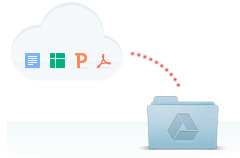
UPDATE – The app is now available for download and I installed it, creating a folder on my computer that acts as a GDrive sync area. All of my Google Docs appeared as “icons” in the folder.

And I was able to drag in files from my PC.

Files that I added to the local folder appeared in the web interface instantly.
Disrupt 2026: The tech ecosystem, all in one room
Your next round. Your next hire. Your next breakout opportunity. Find it at TechCrunch Disrupt 2026, where 10,000+ founders, investors, and tech leaders gather for three days of 250+ tactical sessions, powerful introductions, and market-defining innovation. Register now to save up to $400.
Save up to $300 or 30% to TechCrunch Founder Summit
1,000+ founders and investors come together at TechCrunch Founder Summit 2026 for a full day focused on growth, execution, and real-world scaling. Learn from founders and investors who have shaped the industry. Connect with peers navigating similar growth stages. Walk away with tactics you can apply immediately
Offer ends March 13.

As you can see, the functionality works as expected and was nearly seamless. Free accounts get 5GB of space and you can upgrade to 25GB for $2.49 a month. One hundred gigabytes of storage can be had for $4.99 a month, and 1TB will set you back $49.99 monthly. Upgrading to a paid account will also boost the available storage space on your GMail account to 25GB. The documents that appear in the computer’s folder are actually links to Google Docs which open a separate browser window for editing. For example, this is the contents of one .gdoc file on my PC:
No text is stored in the actual .gdoc file.
As a bonus, Google just announced the availability of 10GB of storage in GMail, up from the standard 7GB “to celebrate today’s launch of Google Drive.”

