

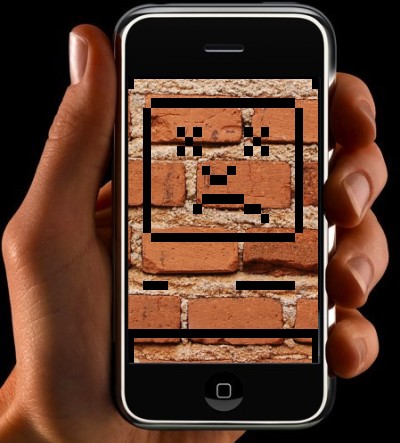
Well this is a fine kettle of fish. iPhone activations have essentially gone down and everyone – from folks updating their old phones to new 3G activators – are stuck with bricks until traffic dies off. Reader Brent reports:
Hey Just a heads up…my iPhone, and looking at their forums, everyone else’s iPhones are bricks because the last step of their update process is to connect to the App store which can’t handle the traffic of people updating…looks like everyone is just in a holding pattern with bricked phones until the traffic goes down…wonder how many users are effected…their are a lot of pissed people, including me and apple says, do not disconnect or try to reboot the phone and keep trying until it works…this means everyone with an iPhone is either out of a phone today or has to sit home and keep trying to connect…fun stuff
What is happening is that users are trying to upgrade to the 2.0 firmware and then when the system tries to activate their phones they go into a reboot or restore more, thereby disabling the phone and forcing another update and, with the current traffic, causing the system to fail again.
Our own Peter’s Ha’s 2G is bricked right now as well. Do not update.
Update: A possible fix.
Scott writes:
Hey, I’m sure you know that a lot of people are having problems with the 2.0 update. I have a solution for what seems to be the most common…the “accessing iTunes” problem.
Techcrunch eventDisrupt 2026: The tech ecosystem, all in one room
Your next round. Your next hire. Your next breakout opportunity. Find it at TechCrunch Disrupt 2026, where 10,000+ founders, investors, and tech leaders gather for three days of 250+ tactical sessions, powerful introductions, and market-defining innovation. Register now to save up to $400.
Save up to $300 or 30% to TechCrunch Founder Summit
1,000+ founders and investors come together at TechCrunch Founder Summit 2026 for a full day focused on growth, execution, and real-world scaling. Learn from founders and investors who have shaped the industry. Connect with peers navigating similar growth stages. Walk away with tactics you can apply immediately
Offer ends March 13.San Francisco, CA | October 13-15, 2026DO NOT disconnect your phone. Instead, when you get the message saying it timed out, click ok. Then click on any other heading, Music for example, in your itunes. Then go back and click on your iPhone icon.
Keep doing this repeatedly to keep your place in line.
Update 2: A temporary fix.
Ankit writes:
If someone sends you a text message, you can get past the emergency call
screen. It will let you make/receive calls, view the app store, etc. however
you still can’t sync. It’s not an entire fix, but better than nothing.

